1: lo: <LOOPBACK,UP,LOWER_UP> mtu 65536 qdisc noqueue state UNKNOWN
link/loopback 00:00:00:00:00:00 brd 00:00:00:00:00:00
inet 127.0.0.1/8 scope host lo
inet 192.169.178.204/32 brd 192.169.178.204 scope global lo:1
inet6 ::1/128 scope host
valid_lft forever preferred_lft forever
2: eth0: <BROADCAST,MULTICAST,UP,LOWER_UP> mtu 1500 qdisc pfifo_fast state UP qlen 1000
link/ether fa:16:3e:3b:24:6d brd ff:ff:ff:ff:ff:ff
inet 10.192.7.166/23 brd 10.192.7.255 scope global eth0
inet6 fe80::f816:3eff:fe3b:246d/64 scope link
valid_lft forever preferred_lft forever
[root@rafi ~]# yum repolist
Loaded plugins: fastestmirror, security
Determining fastest mirrors
* base: mirrors.greenmountainaccess.net
* extras: mirrors.tummy.com
* updates: repo1.sea.innoscale.net
base | 3.7 kB 00:00
extras | 3.4 kB 00:00
extras/primary_db | 37 kB 00:00
updates | 3.4 kB 00:00
updates/primary_db | 4.6 MB 00:00
repo id repo name status
base CentOS-6 – Base 6,575
extras CentOS-6 – Extras 62
updates CentOS-6 – Updates 1,560
repolist: 8,197
[root@rafi ~]# runlevel
N 3
[root@rafi ~]# cat /etc/system-release
CentOS release 6.7 (Final)
[root@rafi ~]# yum install epel-release
Loaded plugins: fastestmirror, security
Setting up Install Process
Loading mirror speeds from cached hostfile
* base: mirrors.greenmountainaccess.net
* extras: mirrors.tummy.com
* updates: repo1.sea.innoscale.net
Resolving Dependencies
–> Running transaction check
—> Package epel-release.noarch 0:6-8 will be installed
–> Finished Dependency Resolution
Dependencies Resolved
=================================================================================================================================================
Package Arch Version Repository Size
=================================================================================================================================================
Installing:
epel-release noarch 6-8 extras 14 k
Transaction Summary
=================================================================================================================================================
Install 1 Package(s)
Total download size: 14 k
Installed size: 22 k
Is this ok [y/N]: y
Downloading Packages:
epel-release-6-8.noarch.rpm | 14 kB 00:00
Running rpm_check_debug
Running Transaction Test
Transaction Test Succeeded
Running Transaction
Installing : epel-release-6-8.noarch 1/1
Verifying : epel-release-6-8.noarch 1/1
Installed:
epel-release.noarch 0:6-8
Complete!
[root@rafi ~]# yum provides */fluxbox
Loaded plugins: fastestmirror, security
Loading mirror speeds from cached hostfile
epel/metalink | 8.8 kB 00:00
* base: mirrors.greenmountainaccess.net
* epel: dl.fedoraproject.org
* extras: mirrors.tummy.com
* updates: repo1.sea.innoscale.net
epel | 4.3 kB 00:00
epel/primary_db | 5.9 MB 00:00
base/filelists_db | 6.3 MB 00:01
epel/filelists_db | 8.1 MB 00:02
extras/filelists_db | 38 kB 00:05
updates/filelists_db | 3.6 MB 00:00
fluxbox-1.1.1-5.el6.x86_64 : Window Manager based on Blackbox
Repo : epel
Matched from:
Filename : /usr/bin/fluxbox
Filename : /usr/share/fluxbox
[root@rafi ~]# yum install vnc-server vnc xorg-x11-xinit fluxbox xterm xarchiver firefox -y
[root@rafi ~]# yum install tigervnc tigervnc-server -y
[root@rafi ~]# cat /etc/sysconfig/vncservers
# The VNCSERVERS variable is a list of display:user pairs.
#
# Uncomment the lines below to start a VNC server on display :2
# as my ‘myusername’ (adjust this to your own). You will also
# need to set a VNC password; run ‘man vncpasswd’ to see how
# to do that.
#
# DO NOT RUN THIS SERVICE if your local area network is
# untrusted! For a secure way of using VNC, see this URL:
# https://access.redhat.com/knowledge/solutions/7027
# Use “-nolisten tcp” to prevent X connections to your VNC server via TCP.
# Use “-localhost” to prevent remote VNC clients connecting except when
# doing so through a secure tunnel. See the “-via” option in the
# `man vncviewer’ manual page.
# VNCSERVERS=”2:myusername”
# VNCSERVERARGS[2]=”-geometry 800×600 -nolisten tcp -localhost”
Add This Lines At the end
[root@rafi ~]# vim /etc/sysconfig/vncservers
VNCSERVERS=”1:root”
VNCSERVERARGS[1]=”-geometry 1024×768″
[root@rafi ~]# cat /etc/sysconfig/vncservers
# The VNCSERVERS variable is a list of display:user pairs.
#
# Uncomment the lines below to start a VNC server on display :2
# as my ‘myusername’ (adjust this to your own). You will also
# need to set a VNC password; run ‘man vncpasswd’ to see how
# to do that.
#
# DO NOT RUN THIS SERVICE if your local area network is
# untrusted! For a secure way of using VNC, see this URL:
# https://access.redhat.com/knowledge/solutions/7027
# Use “-nolisten tcp” to prevent X connections to your VNC server via TCP.
# Use “-localhost” to prevent remote VNC clients connecting except when
# doing so through a secure tunnel. See the “-via” option in the
# `man vncviewer’ manual page.
# VNCSERVERS=”2:myusername”
# VNCSERVERARGS[2]=”-geometry 800×600 -nolisten tcp -localhost”
VNCSERVERS=”1:root”
VNCSERVERARGS[1]=”-geometry 1024×768″
[root@rafi ~]# netstat -tlpn
Active Internet connections (only servers)
Proto Recv-Q Send-Q Local Address Foreign Address State PID/Program name
tcp 0 0 0.0.0.0:22 0.0.0.0:* LISTEN 2026/sshd
tcp 0 0 127.0.0.1:25 0.0.0.0:* LISTEN 1876/sendmail
tcp 0 0 :::22 :::* LISTEN 2026/sshd
[root@rafi ~]# service vncserver status
Xvnc is stopped
[root@rafi ~]# service vncserver start
Starting VNC server: 1:root
You will require a password to access your desktops.
getpassword error: Inappropriate ioctl for device
Password: [FAILED]
[root@rafi ~]# vncpasswd
Password:
Verify:
[root@rafi ~]# service vncserver start
Starting VNC server: 1:root xauth: creating new authority file /root/.Xauthority
xauth: (stdin):1: bad display name “rafi:1” in “add” command
New ‘rafi:1 (root)’ desktop is rafi:1
Creating default startup script /root/.vnc/xstartup
Starting applications specified in /root/.vnc/xstartup
Log file is /root/.vnc/rafi:1.log
[ OK ]
[root@rafi ~]# netstat -tlpn
Active Internet connections (only servers)
Proto Recv-Q Send-Q Local Address Foreign Address State PID/Program name
tcp 0 0 0.0.0.0:6001 0.0.0.0:* LISTEN 2351/Xvnc
tcp 0 0 0.0.0.0:22 0.0.0.0:* LISTEN 2026/sshd
tcp 0 0 127.0.0.1:25 0.0.0.0:* LISTEN 1876/sendmail
tcp 0 0 0.0.0.0:5901 0.0.0.0:* LISTEN 2351/Xvnc
tcp 0 0 :::6001 :::* LISTEN 2351/Xvnc
tcp 0 0 :::22 :::* LISTEN 2026/sshd
[root@rafi ~]# whereis fluxbox
fluxbox: /usr/bin/fluxbox /usr/share/fluxbox /usr/share/man/man1/fluxbox.1.gz
[root@rafi ~]# cd /usr/share/fluxbox/
[root@rafi fluxbox]# ls -l
total 32
-rw-r–r– 1 root root 70 Jul 1 2010 apps
-rw-r–r– 1 root root 93 Jul 1 2010 init
-rw-r–r– 1 root root 2805 Jul 1 2010 keys
-rw-r–r– 1 root root 1372 Jul 1 2010 menu
drwxr-xr-x 73 root root 4096 Apr 19 03:32 nls
-rw-r–r– 1 root root 89 Jul 1 2010 overlay
drwxr-xr-x 15 root root 4096 Apr 19 03:32 styles
-rw-r–r– 1 root root 168 Jul 1 2010 windowmenu
[root@rafi fluxbox]# cat windowmenu
[begin]
[shade]
[stick]
[maximize]
[iconify]
[raise]
[lower]
[settitledialog]
[sendto]
[layer]
[alpha]
[extramenus]
[separator]
[close]
[end]
[root@rafi fluxbox]# cat menu
# Generated by fluxbox-generate_menu
#
# If you read this it means you want to edit this file manually, so here
# are some useful tips:
#
# – You can add your own menu-entries to ~/.fluxbox/usermenu
#
# – If you miss apps please let me know and I will add them for the next
# release.
#
# – The -r option prevents removing of empty menu entries and lines which
# makes things much more readable.
#
# – To prevent any other app from overwriting your menu
# you can change the menu name in ~/.fluxbox/init to:
# session.menuFile: ~/.fluxbox/my-menu
[begin] (Fluxbox-1.1.1)
[encoding] {UTF-8}
[exec] (xterm) {xterm}
[exec] () {}
[exec] (Run) {fbrun }
[submenu] (System Tools)
[exec] (top) {xterm -e top}
[end]
[submenu] (Fluxbox menu)
[config] (Configure)
[submenu] (System Styles) {Choose a style…}
[stylesdir] (/usr/share/fluxbox/styles)
[end]
[submenu] (User Styles) {Choose a style…}
[stylesdir] (~/.fluxbox/styles)
[end]
[workspaces] (Workspace List)
[submenu] (Tools)
[exec] (Run) {fbrun }
[exec] (Regen Menu) {fluxbox-generate_menu }
[end]
[commanddialog] (Fluxbox Command)
[reconfig] (Reload config)
[restart] (Restart)
[exec] (About) {(fluxbox -v; fluxbox -info | sed 1d) | xmessage -file – -center}
[separator]
[exit] (Exit)
[end]
[endencoding]
[end]
[root@rafi fluxbox]# cat apps
[app] (name=fbrun)
[Position] (WINCENTER) {0 0}
[Layer] {2}
[end]
[root@rafi fluxbox]# cd
[root@rafi ~]# ls -a
. anaconda-ks.cfg .bash_logout .bashrc .cshrc install.log .mozilla .ssh .viminfo .Xauthority
.. .bash_history .bash_profile .cache Desktop install.log.syslog .pki .tcshrc .vnc
[root@rafi ~]# cd .vnc/
[root@rafi .vnc]# ls -l
total 16
-rw——- 1 root root 8 Apr 19 03:43 passwd
-rw-r–r– 1 root root 1867 Apr 19 03:58 rafi:1.log
-rw-r–r– 1 root root 5 Apr 19 03:52 rafi:1.pid
-rwxr-xr-x 1 root root 654 Apr 19 03:43 xstartup
[root@rafi .vnc]# cat xstartup
#!/bin/sh
[ -r /etc/sysconfig/i18n ] && . /etc/sysconfig/i18n
export LANG
export SYSFONT
vncconfig -iconic &
unset SESSION_MANAGER
unset DBUS_SESSION_BUS_ADDRESS
OS=`uname -s`
if [ $OS = ‘Linux’ ]; then
case “$WINDOWMANAGER” in
*gnome*)
if [ -e /etc/SuSE-release ]; then
PATH=$PATH:/opt/gnome/bin
export PATH
fi
;;
esac
fi
if [ -x /etc/X11/xinit/xinitrc ]; then
exec /etc/X11/xinit/xinitrc
fi
if [ -f /etc/X11/xinit/xinitrc ]; then
exec sh /etc/X11/xinit/xinitrc
fi
[ -r $HOME/.Xresources ] && xrdb $HOME/.Xresources
xsetroot -solid grey
xterm -geometry 80×24+10+10 -ls -title “$VNCDESKTOP Desktop” &
twm &
[root@rafi ~]#cat >> /usr/share/fluxbox/menu
[begin] (fluxbox)
[exec] (firefox) {firefox} <>
[include] (/etc/X11/fluxbox/fluxbox-menu)
[end]
[root@rafi ~]# service vncserver restart
[root@rafi ~]# chkconfig –list | grep vncserver
vncserver 0:off 1:off 2:off 3:off 4:off 5:off 6:off
[root@rafi ~]# chkconfig vncserver on
[root@rafi ~]# chkconfig –list | grep vncserver
vncserver 0:off 1:off 2:on 3:on 4:on 5:on 6:off
[root@rafi ~]# reboot
mohammedrafi@NOC-RAFI:~$ ssh root@192.169.178.204
root@192.169.178.204’s password:
[root@rafi ~]# netstat -tlpn | grep -i xvnc
tcp 0 0 0.0.0.0:5901 0.0.0.0:* LISTEN 1343/Xvnc
tcp 0 0 0.0.0.0:6001 0.0.0.0:* LISTEN 1343/Xvnc
tcp 0 0 :::6001 :::* LISTEN 1343/Xvnc
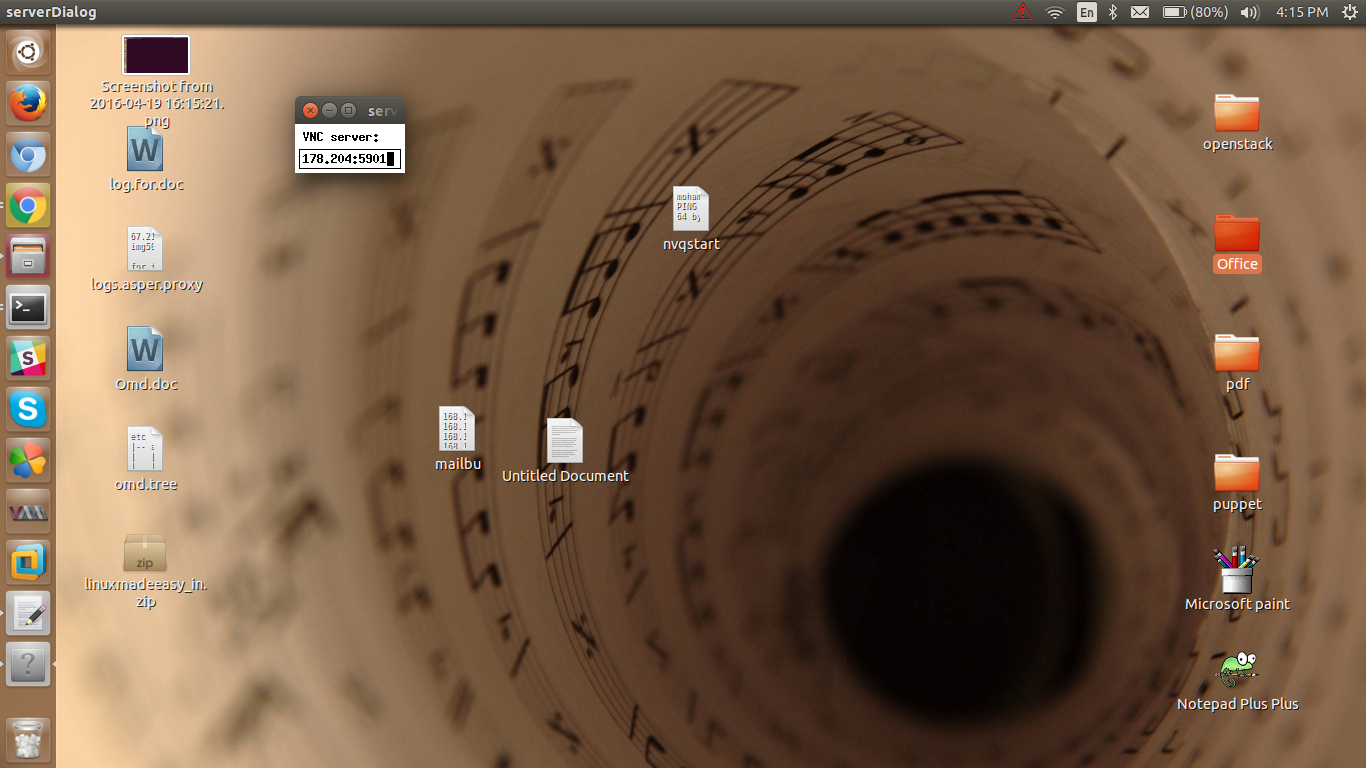
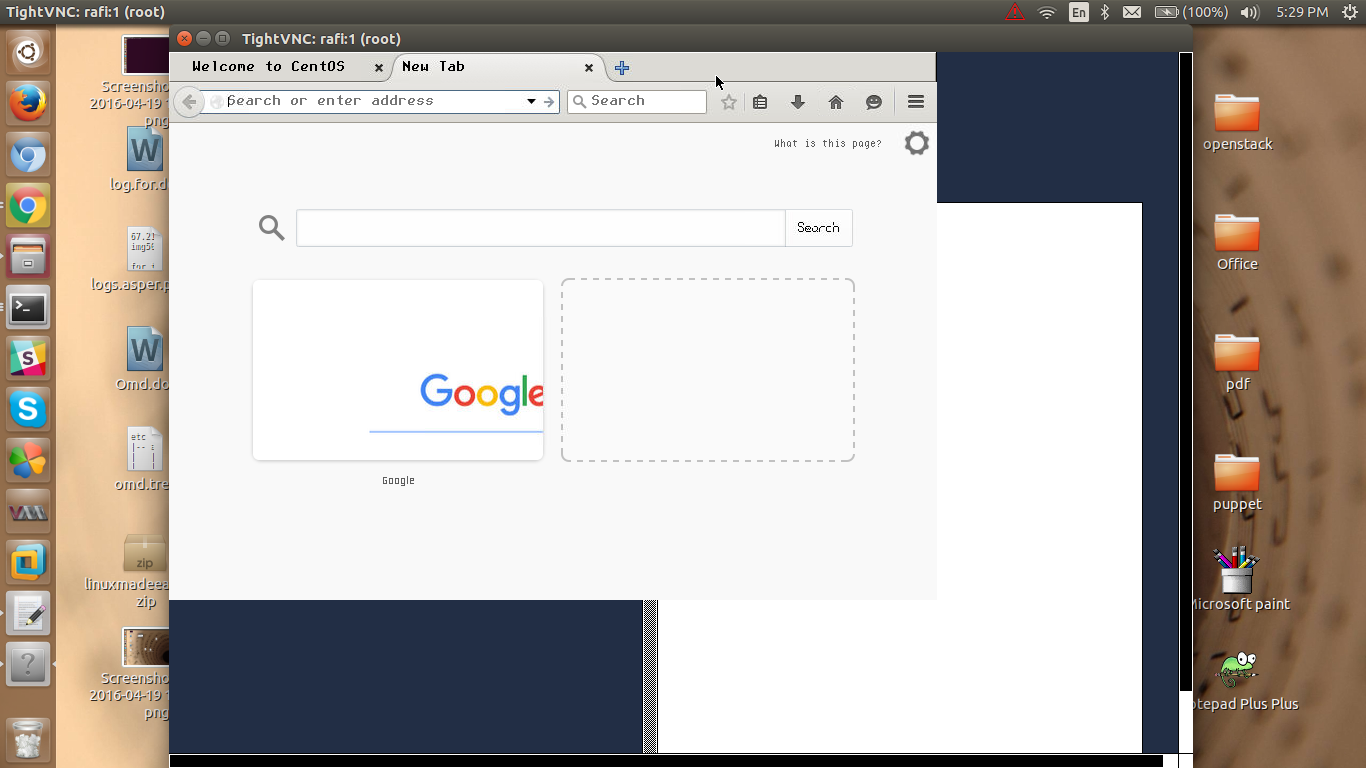
Try to access the box by installing vnc-client in your machine here my client operating system is debian
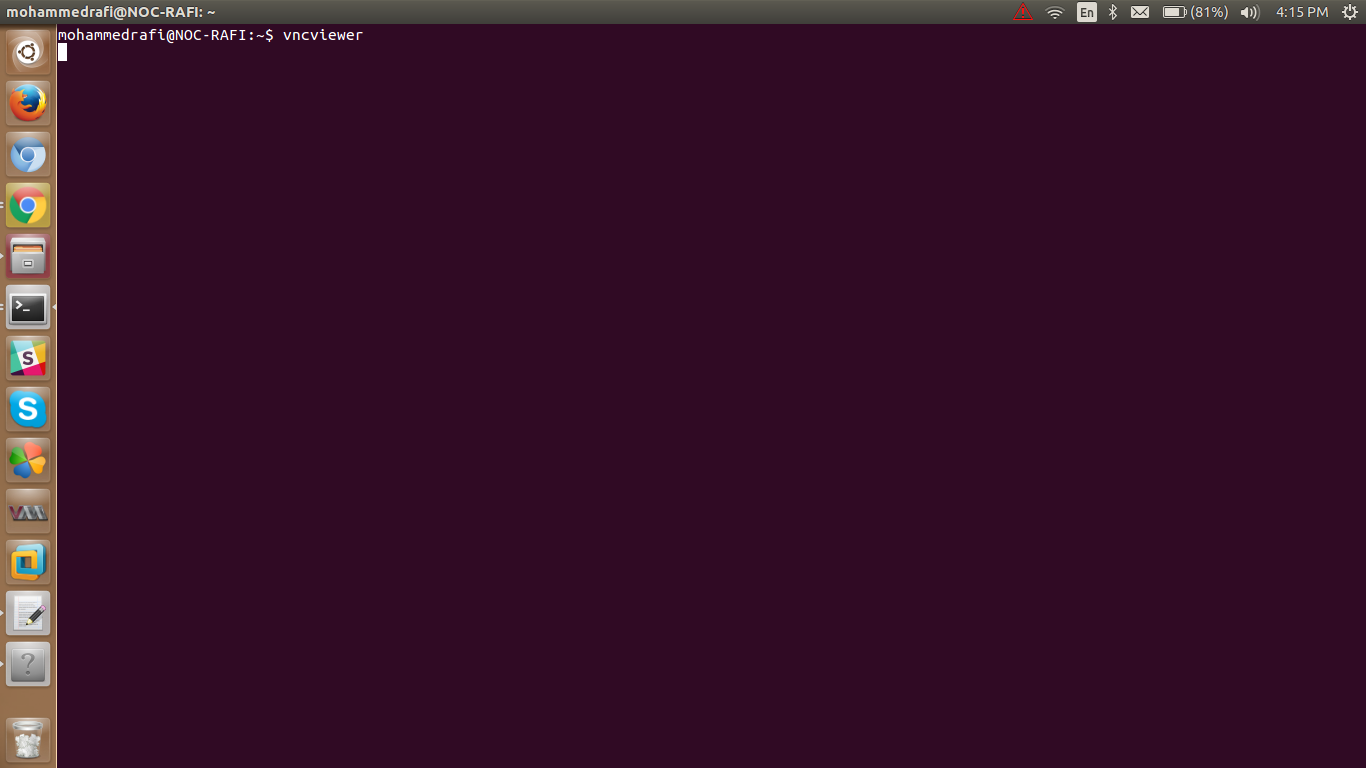
use vncviewer command and give your vnc-server ip address and port no as 5901 or 1 as u mentioned in configuration