


Making the API Request
Your server communicates with Vertex using either Anthropic’s SDKs or Google’s official Vertex SDKs. Anthropic provides official SDKs for Python, TypeScript, Go, and Ruby.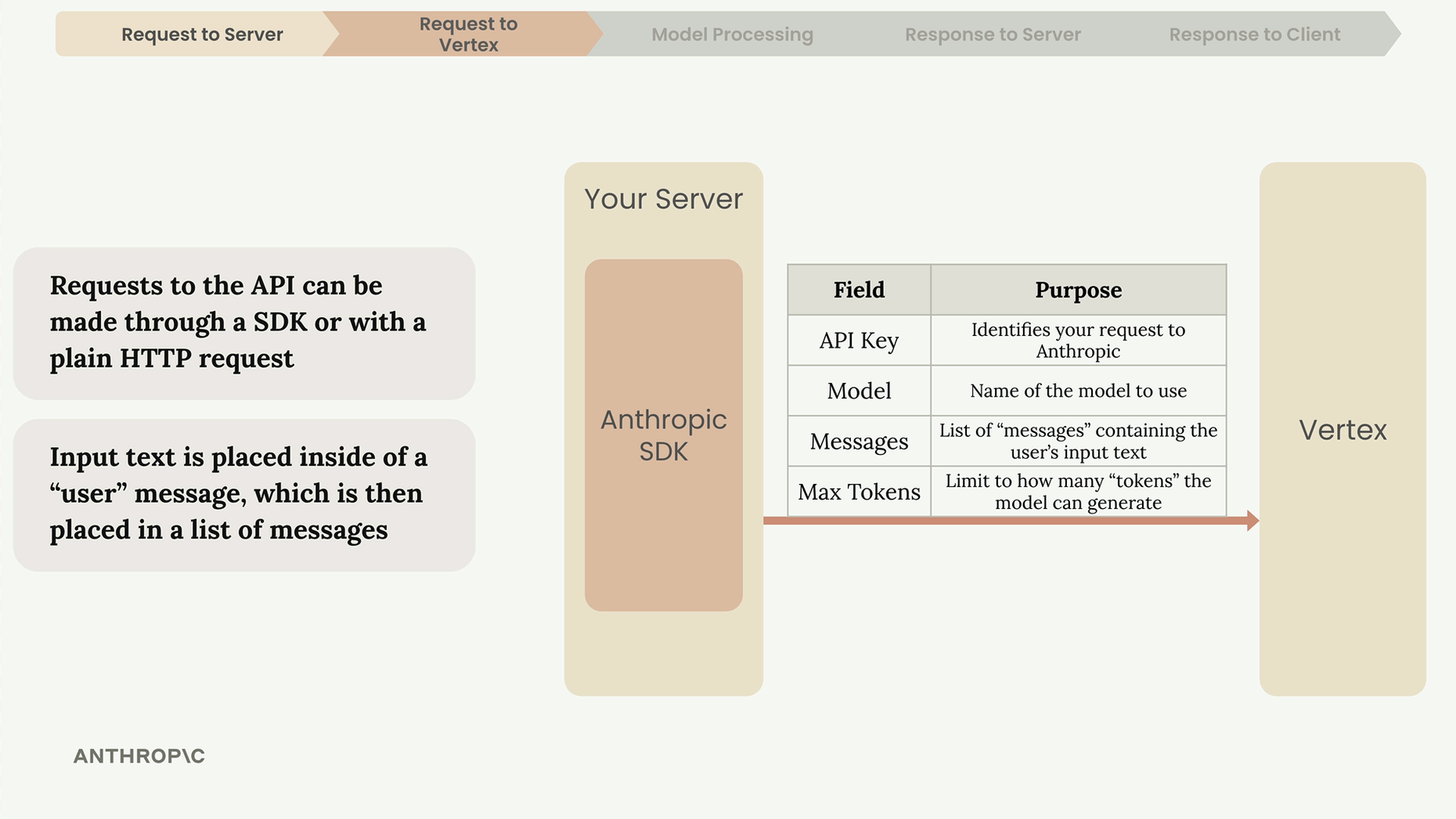
Every request must include these key fields:
- API Key – Identifies your request to Anthropic
- Model – Name of the specific model to use
- Messages – List containing the user’s input text
- Max Tokens – Limits how many tokens the model can generate
The user’s input gets placed inside a “user” message, which then goes into a list of messages sent to the API.
Inside Claude: Text Generation Process
Once Vertex receives your request, Claude processes it through four stages: Tokenization, Embedding, Contextualization, and Generation.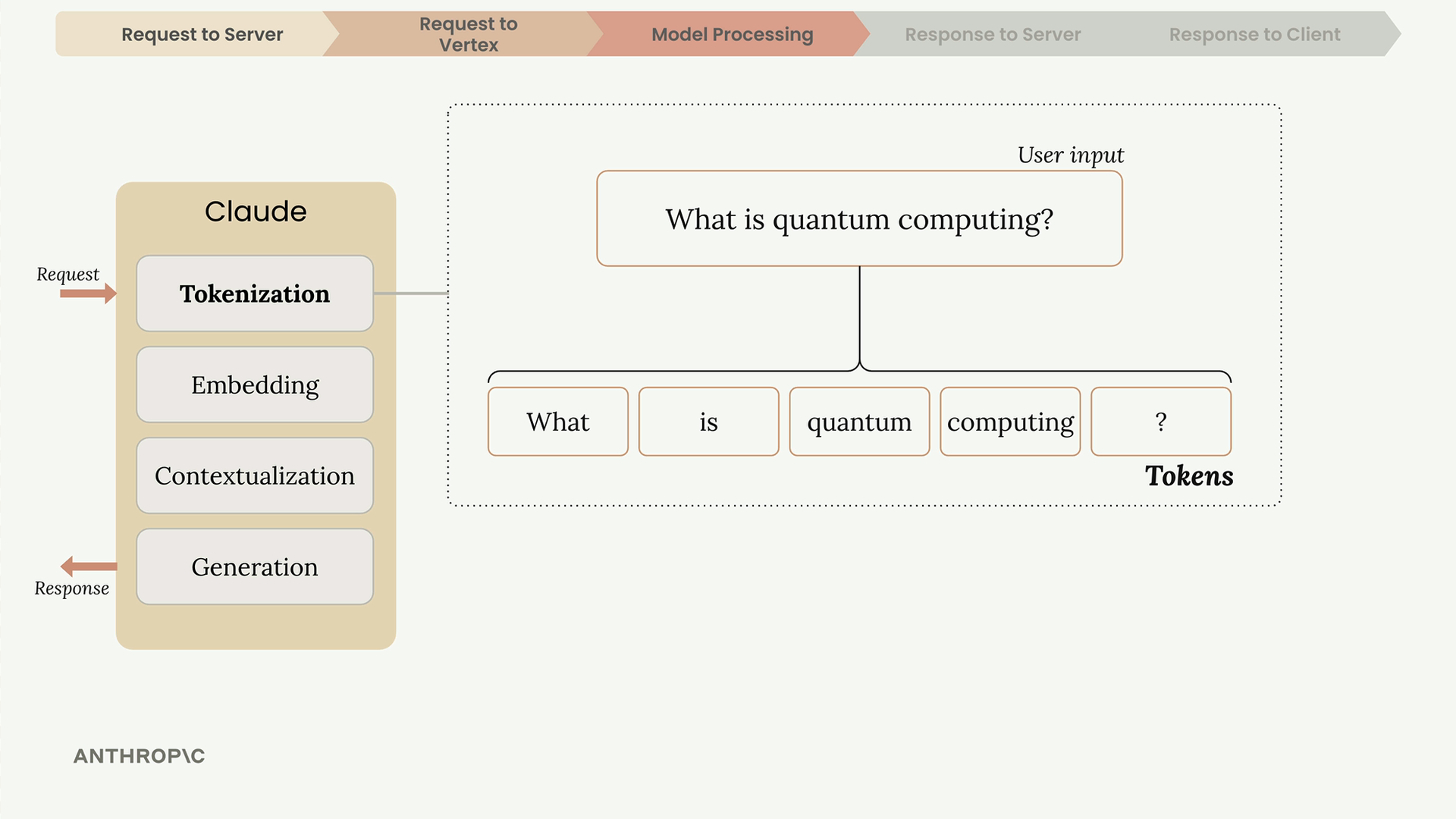
Tokenization
Claude first breaks down the input text into smaller chunks called tokens. These can be whole words, parts of words, spaces, or symbols. For simplicity, think of each word as one token.
Embedding
Each token gets converted into an embedding – a long list of numbers that represents all possible meanings of that word. Think of embeddings as number-based definitions.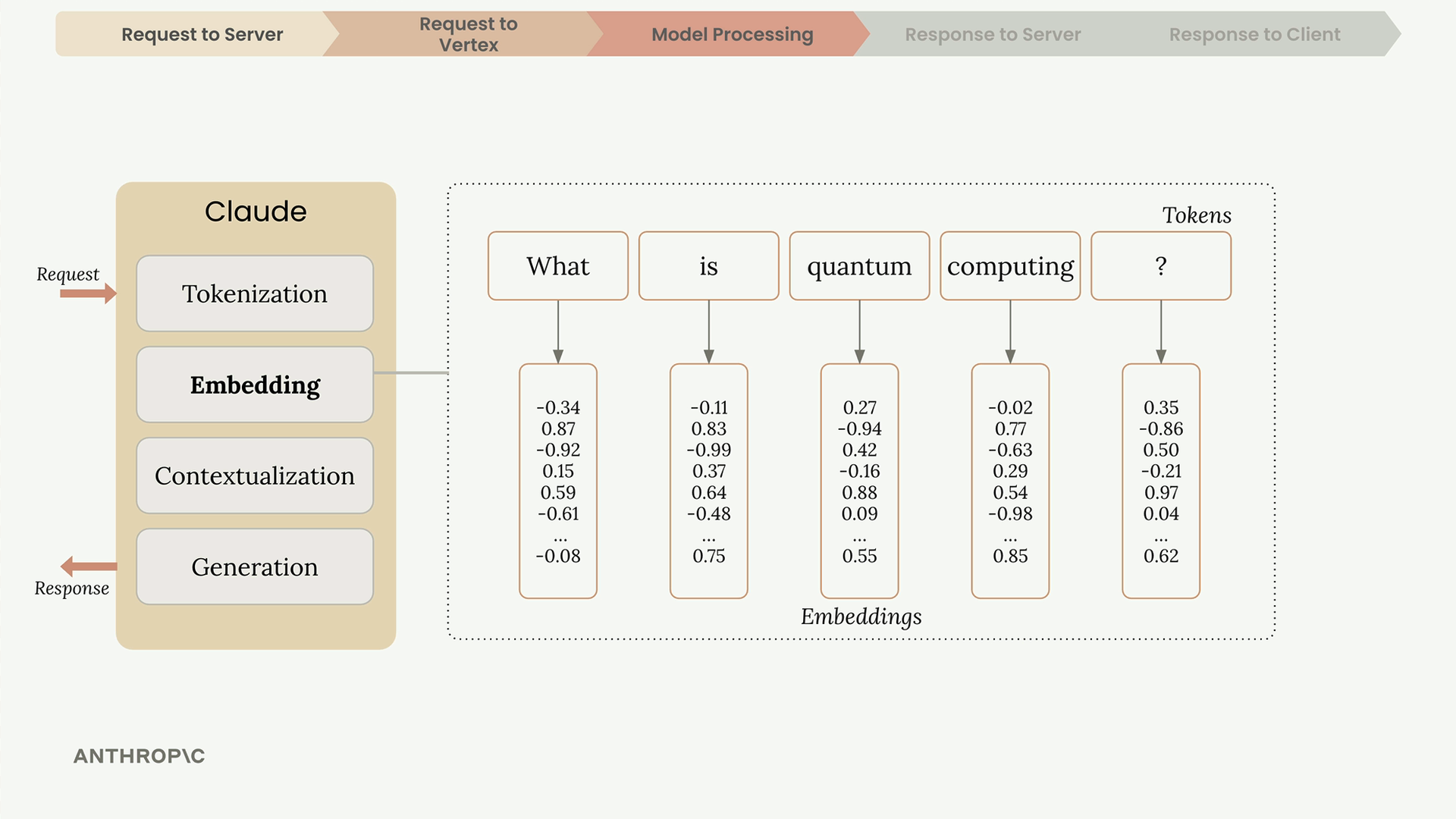
Contextualization
Since words can have multiple meanings, Claude uses context to determine the right interpretation. The word “quantum” could refer to physics, computing, or just mean “very small” – context from surrounding words clarifies the intended meaning.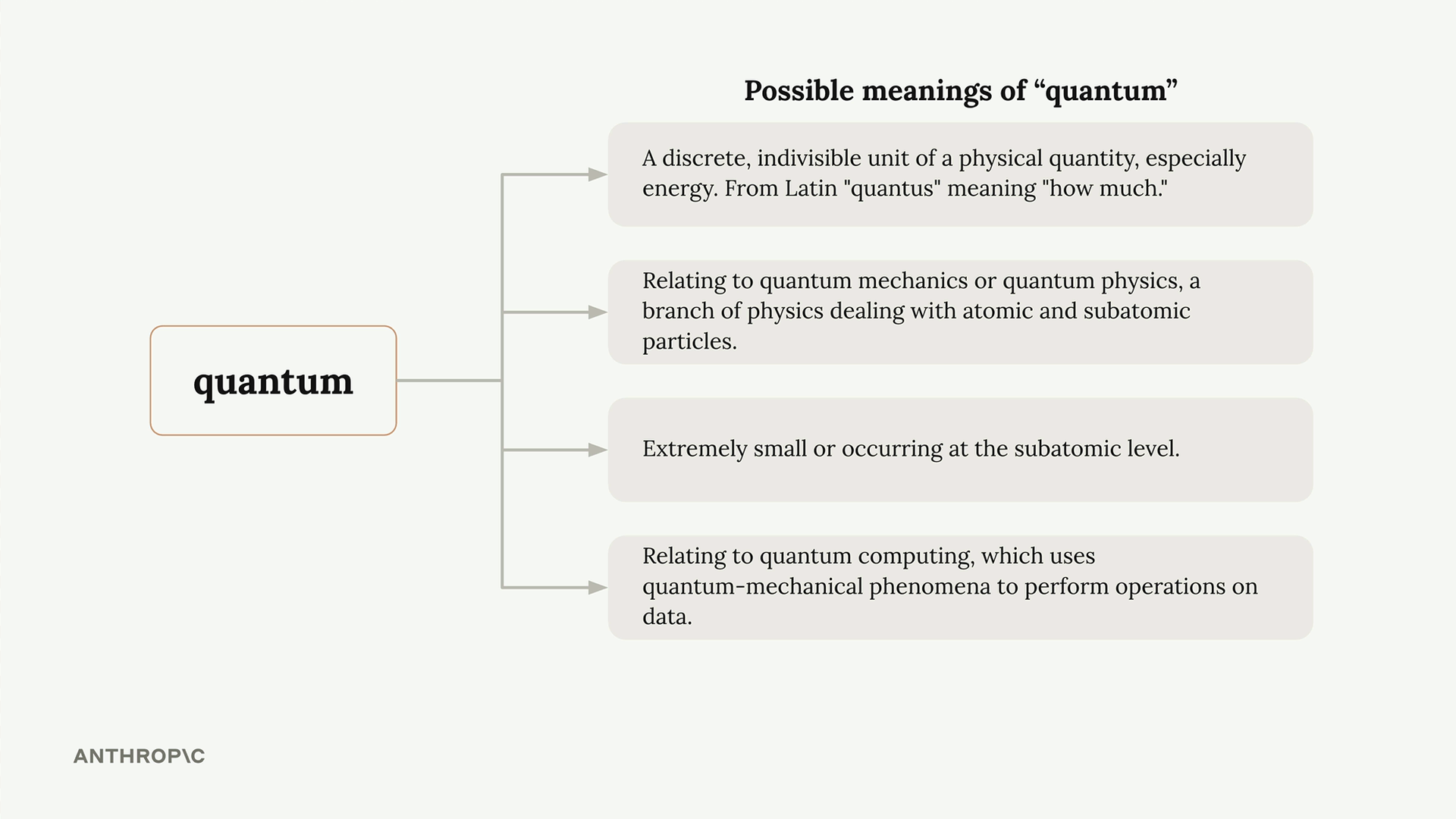
During contextualization, each embedding gets adjusted based on its neighbors, highlighting the meaning that makes most sense given the context.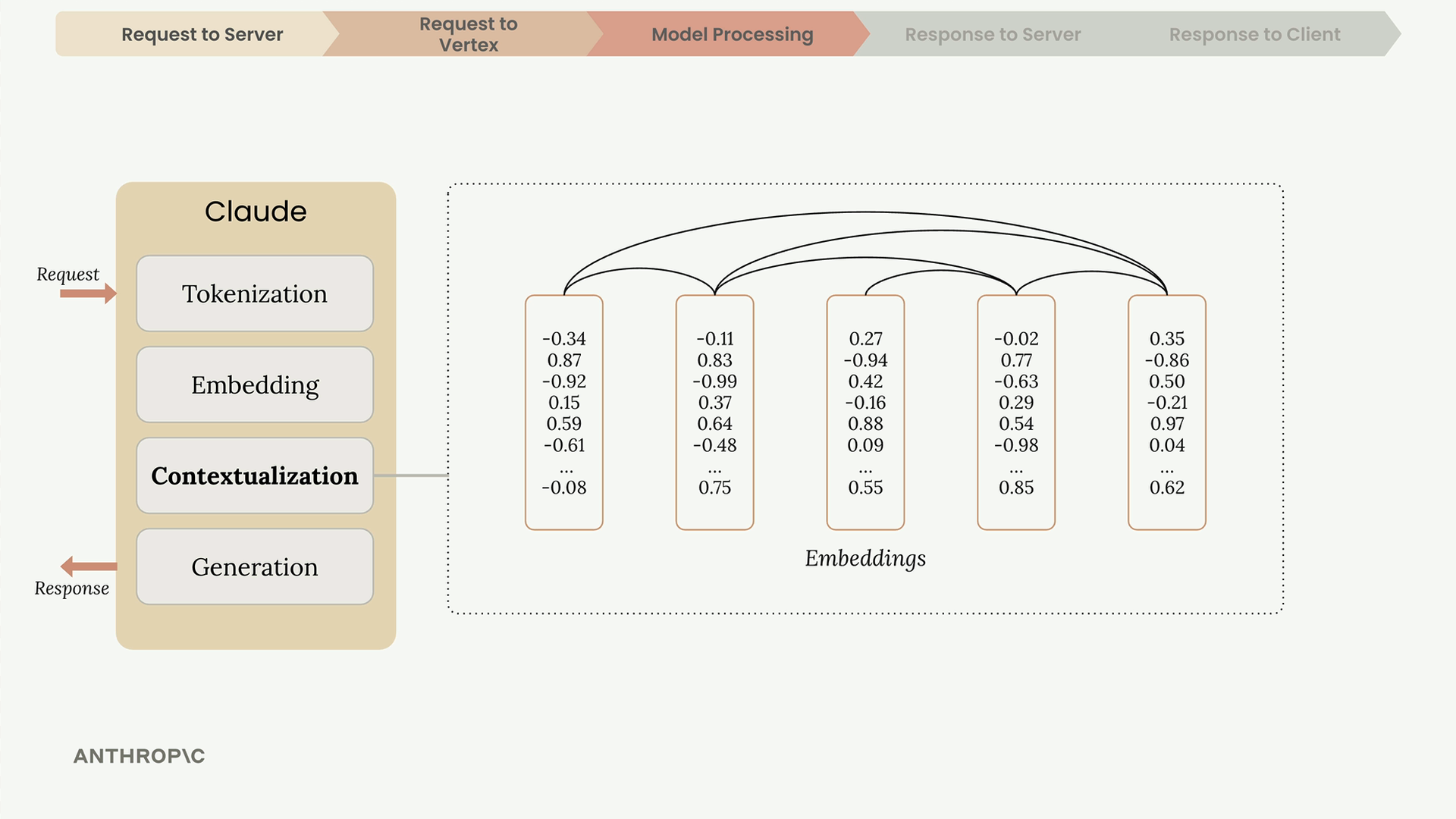
Generation
The contextualized embeddings pass through an output layer that produces probabilities for each possible next word. Claude doesn’t always pick the highest probability word – it uses a mix of probability and randomness to create more natural, varied responses.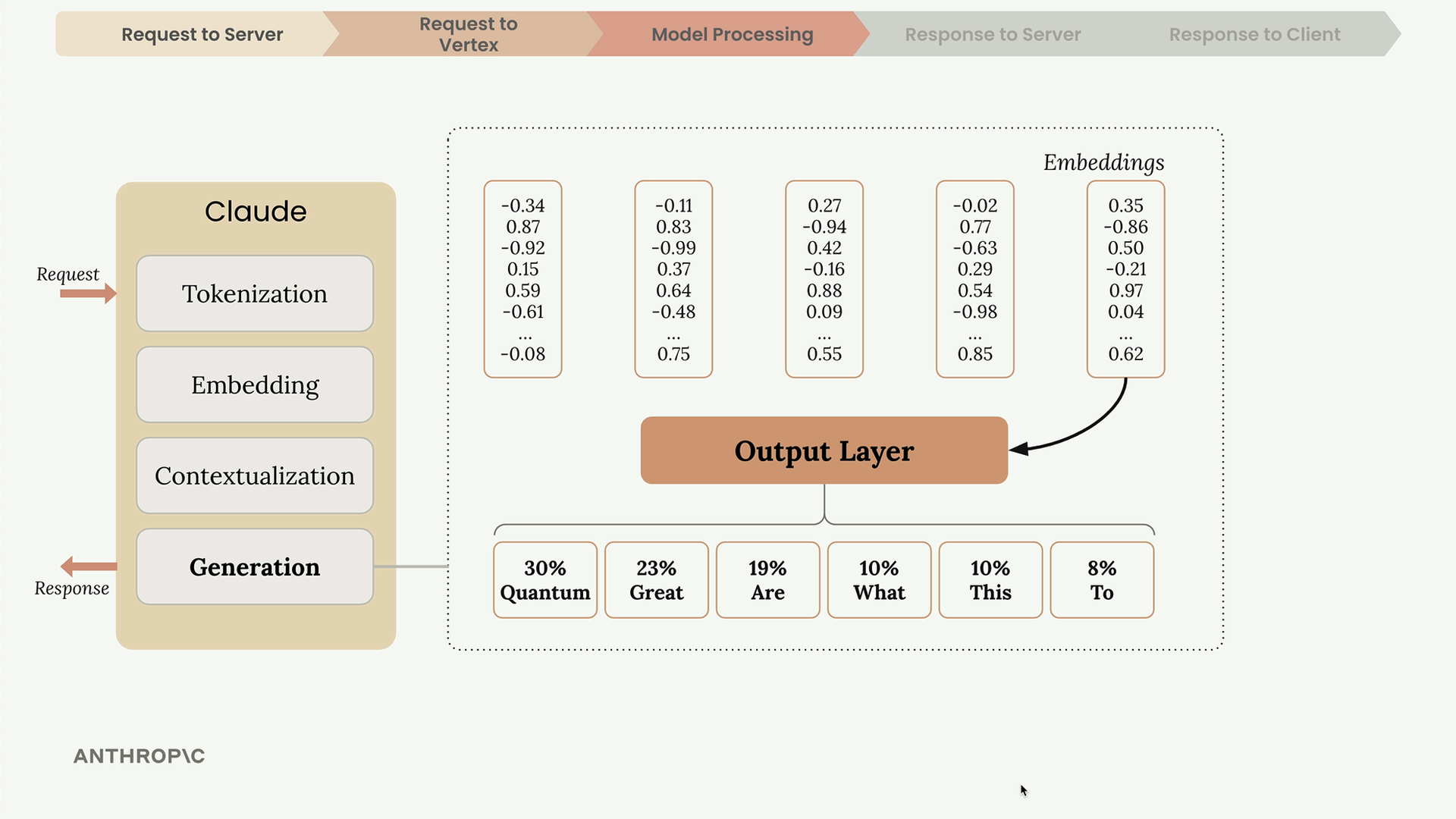
After selecting a word, Claude adds it to the sequence and repeats the entire process for the next word.
When Generation Stops
After generating each token, Claude checks several conditions to decide whether to continue: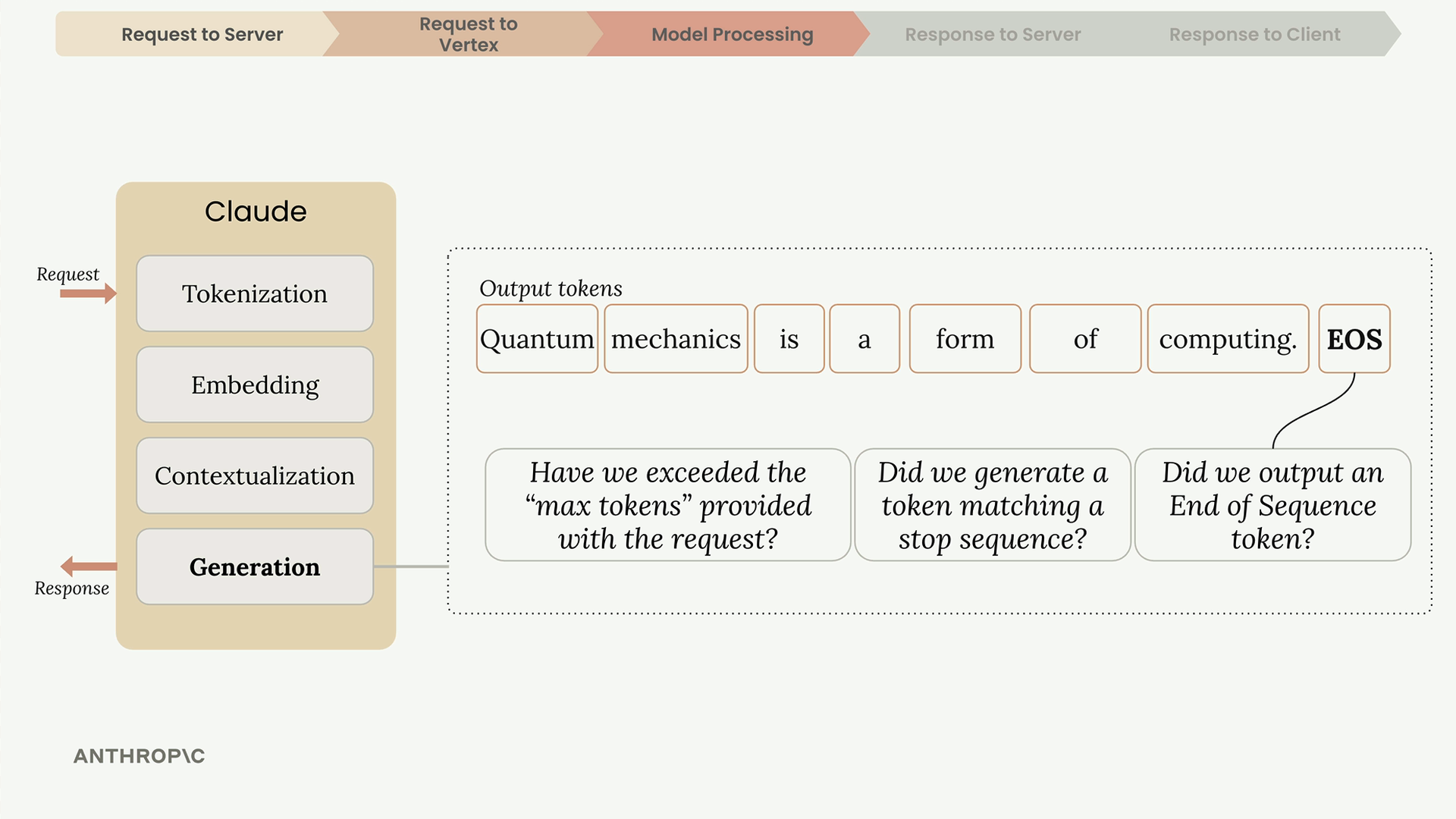
- Max tokens reached – Has it hit the limit you specified?
- Natural ending – Did it generate an end-of-sequence token?
- Stop sequence – Did it encounter a predefined stop phrase?
The end-of-sequence token is a special signal (not visible text) that Claude uses to indicate it has reached a natural conclusion.
The Response
Once generation completes, Vertex sends a response back to your server containing: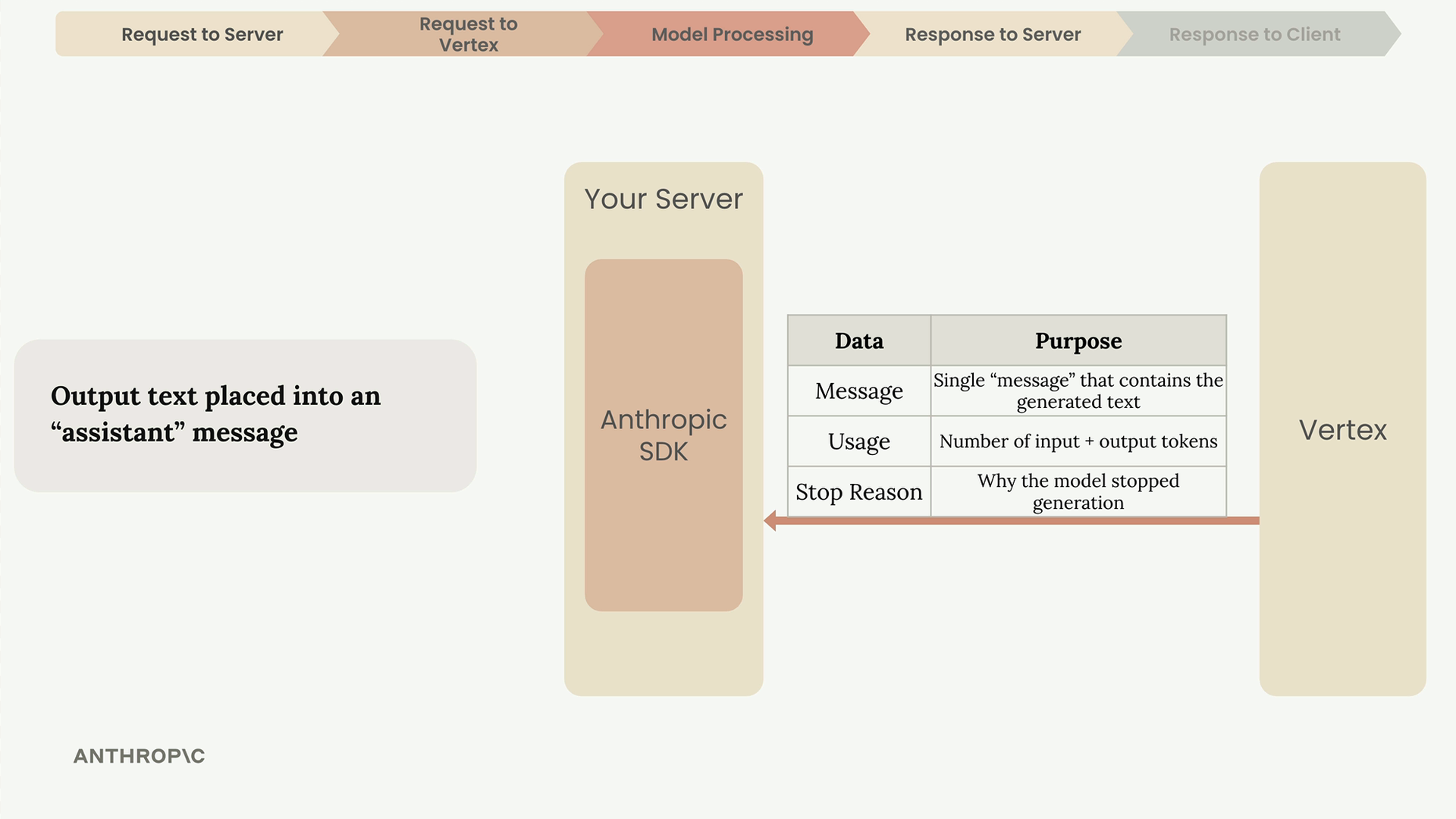
- Message – The generated text
- Usage – Count of input and output tokens
- Stop Reason – Why the model stopped generating
Your server then forwards the generated text to your client application, where it appears in the chat interface.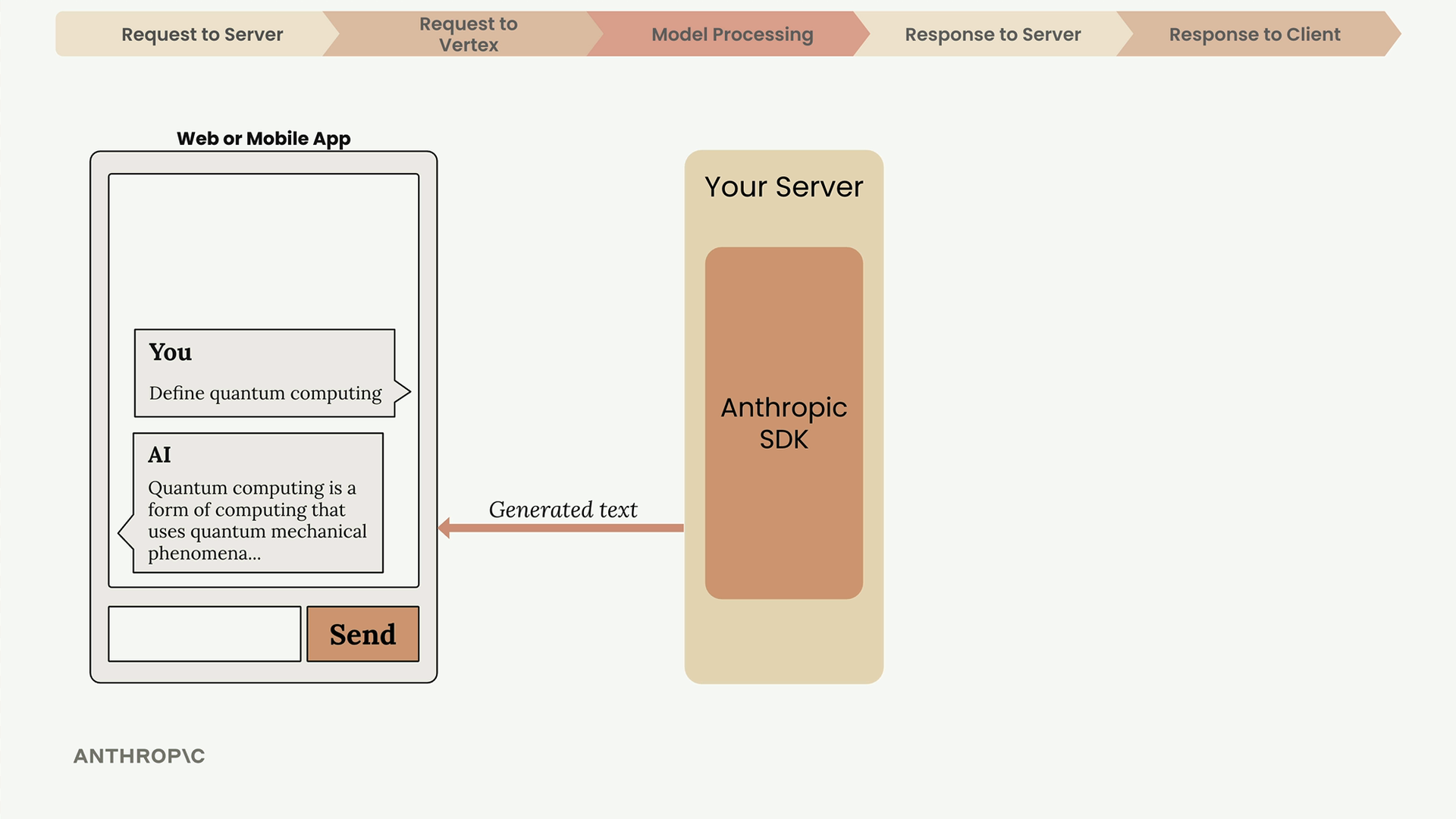
The Complete Picture
This entire process – from user input through tokenization, embedding, contextualization, generation, and back to the user – happens in seconds. Understanding this flow helps you build more robust applications and troubleshoot issues when they arise.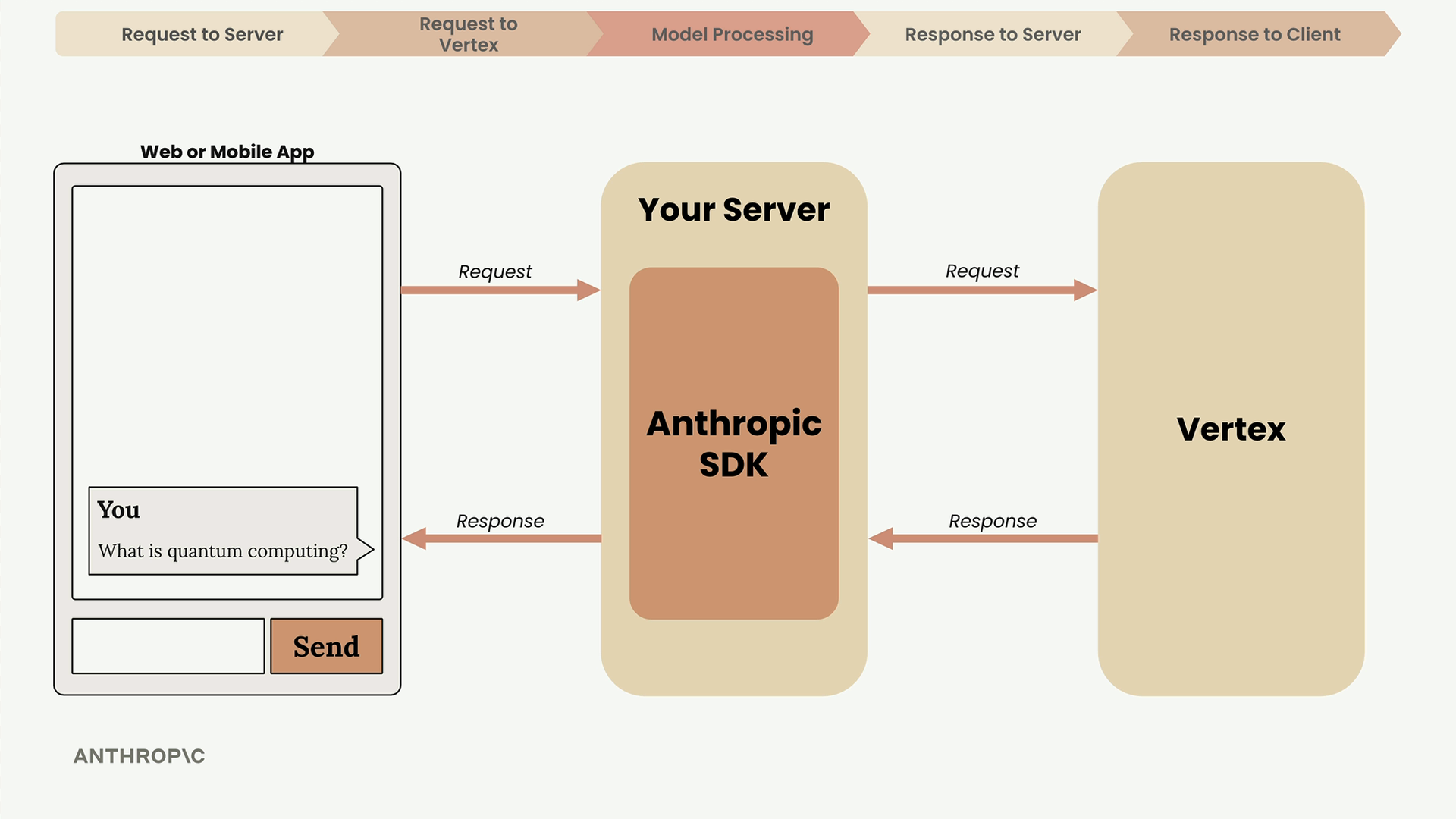
The key takeaway: always use a server as an intermediary, understand that text generation is an iterative process, and pay attention to the response metadata to monitor usage and understand model behavior.
Step One: Ensure Anthropic models are enabled in Vertex
- In your browser, navigate to https://console.cloud.google.com/vertex-ai/dashboard
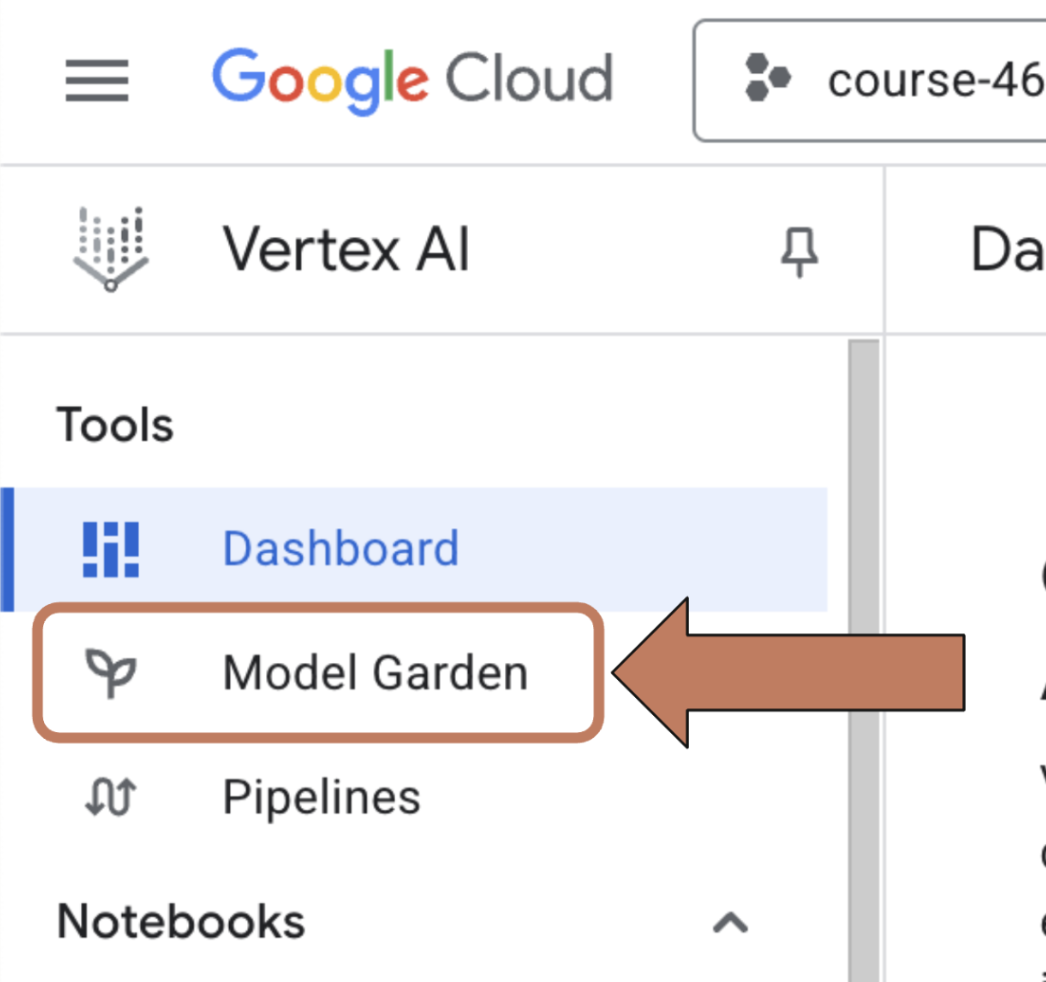
- In the left hand nav, click on ‘Model Garden’
- In the ‘Search models’ box, enter ‘Anthropic’
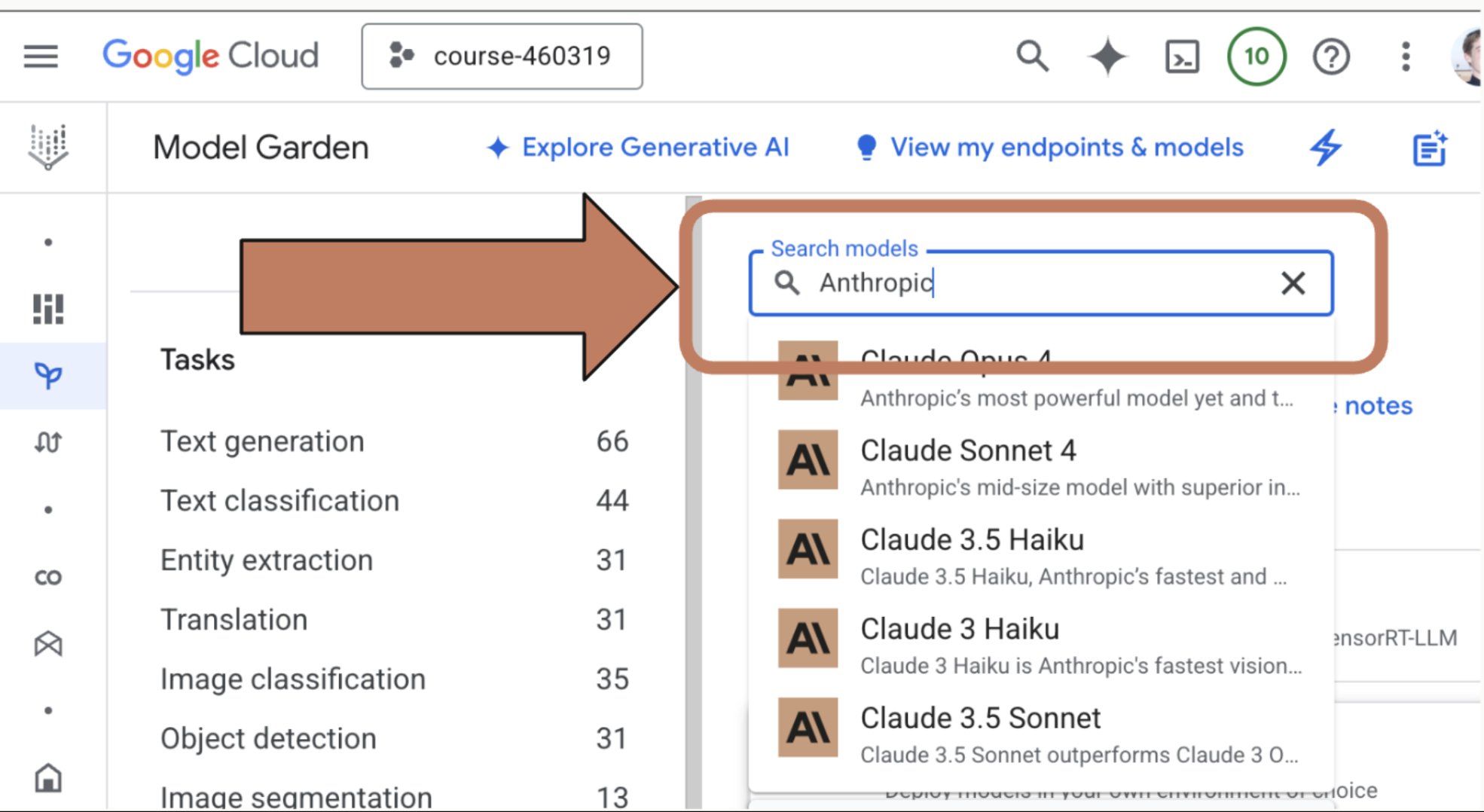
- Click on the model that you want to use.
Step Two: Enable the Model
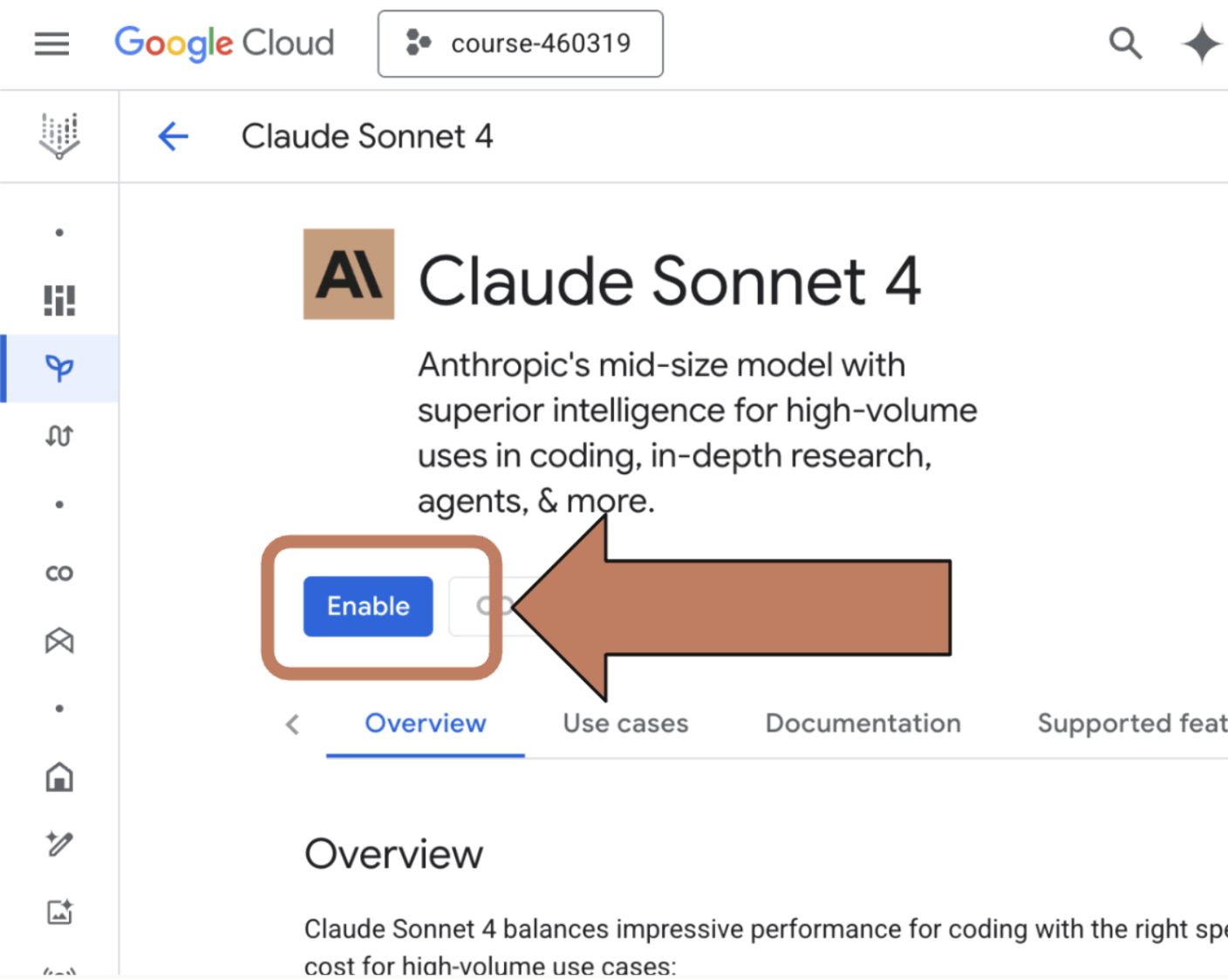
- Once you’ve found the model you want to use, you may need to enable it. On the model information page, click the ‘Enable’ button
- If you don’t see an ‘Enable’ button then you already have access to the model
Step Three: Install the gcloud CLI
If you don’t already have the gcloud CLI installed, follow the directions here to install and authenticate with the CLI: https://cloud.google.com/sdk/docs/install
Step Four: Login and set up authentication with the gcloud CLI
If you have not already logged in to the gcloud CLI, do so by running:
gcloud initgcloud auth login
Then, set your project ID and set your default credentials:
gcloud config set project YOUR_PROJECT_IDgcloud auth application-default login
That’s it! The Anthropic SDK will automatically use these credentials when attempting to access Vertex.


